Kubernetes Pods — What Exactly Is a Pod?
You keep hearing the word Pod. But what actually is it? Let's break it down in the simplest way possible.
Everyone Talks About Pods. But What Is It?
If you're learning Kubernetes, "Pod" is probably the first word that confused you.
You already know what a container is — it's your app packaged up and ready to run. So why does Kubernetes introduce this new thing called a Pod? Why not just run containers directly?
That's exactly what we're going to answer today. No fluff, no jargon.
A Pod Is a Wrapper Around Your Container
The simplest definition:
A Pod is a thin wrapper around one or more containers.
Kubernetes doesn't manage containers directly. It wraps them inside a Pod and manages that instead. When you tell Kubernetes "run my app," it creates a Pod — and inside that Pod, your container runs.
Think of it like this. A container is a lunch box. A Pod is the bag you carry it in. Kubernetes handles the bag — it doesn't touch the lunch box directly.
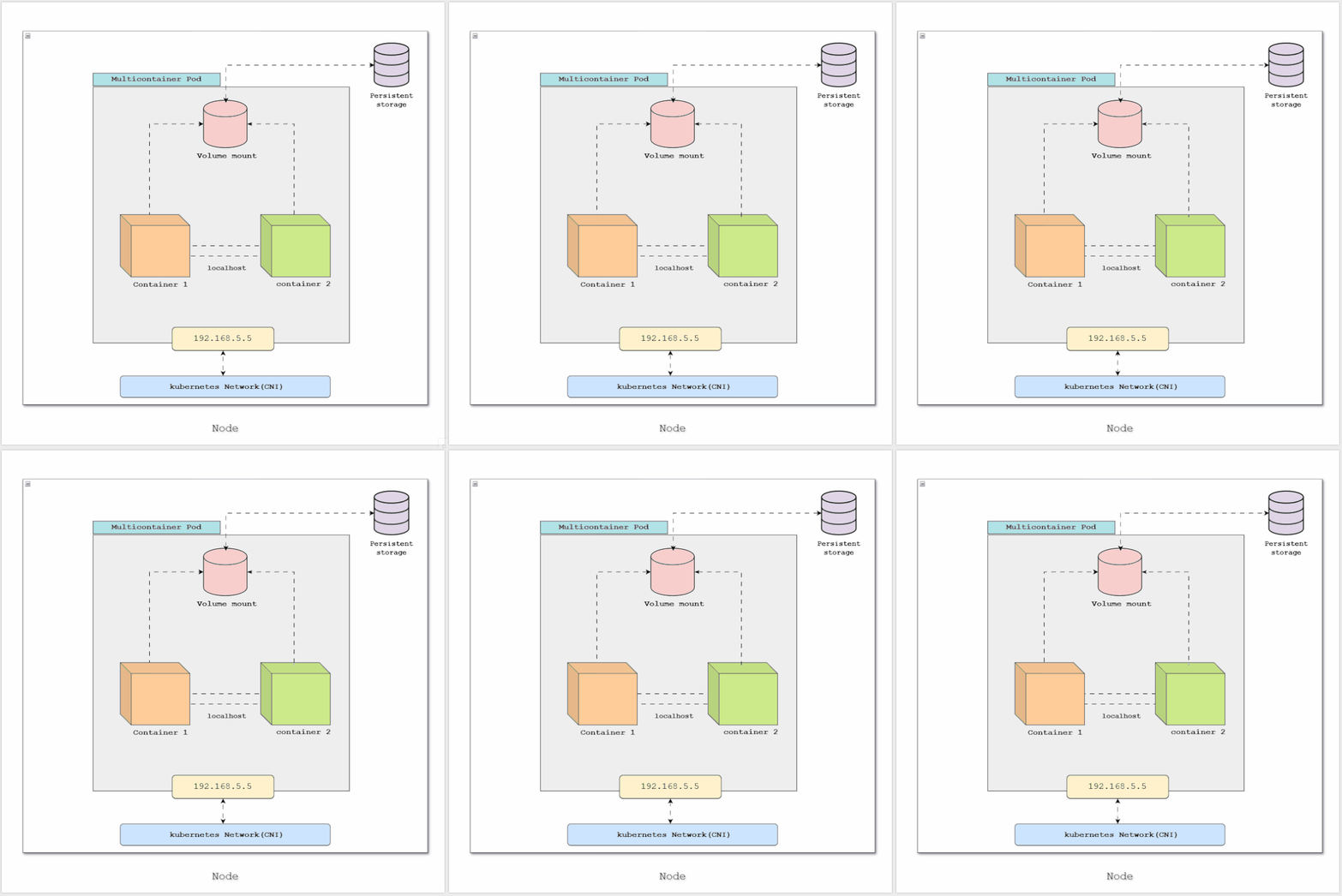 A Pod wrapping a container inside a Kubernetes Node
Okay, But Why the Extra Layer?
Fair question. Here's the honest answer.
Real applications are rarely just one container. Take a simple web app:
- One container runs your actual application
- Another container runs a log collector that ships your logs somewhere
- Another container handles config updates in the background
These containers are closely related. They need to:
- Talk to each other instantly
- Share the same files
- Start and stop at the same time
If they were separate, managing all of that would be painful. A Pod solves this by grouping them together in one place — same network, same storage, same lifecycle.
What's Inside a Pod?
Every Pod has a few things that come with it automatically:
A Shared Network
Every Pod gets one IP address. All containers inside that Pod share it.
This means if Container A wants to talk to Container B inside the same Pod, it just uses localhost. No complex networking needed — they're already on the same line.
# Container A calling Container B on port 3000
curl http://localhost:3000
Shared Storage
Containers inside a Pod can share the same storage volume. One container writes a file, another container reads it. Simple as that.
A Shared Lifecycle
When a Pod starts, all its containers start. When a Pod is deleted, all its containers are gone. They live and die together.
One Container or Many?
Most of the time — one container per Pod. That's the standard pattern and what you'll see most often.
apiVersion: v1
kind: Pod
metadata:
  name: my-app
spec:
  containers:
    - name: my-container
      image: nginx:latest
      ports:
        - containerPort: 80
That's a complete, valid Pod. One container. Kubernetes will schedule this onto a node and start it running.
Multi-container Pods exist and are useful in specific patterns — but as a beginner, start with one container per Pod. Keep it simple.
A Pod Lives on a Node
When Kubernetes runs your Pod, it places it on a Node — a physical or virtual machine in your cluster.
You don't choose which node. Kubernetes does that for you based on available resources. Your Pod lands somewhere in the cluster, gets an IP address, and starts running.
Your Cluster
│
├── Node 1
│   ├── Pod A (your app)
│   └── Pod B (another app)
│
├── Node 2
│   ├── Pod C
│   └── Pod D
Each Pod on each node gets its own IP. They can talk to each other across nodes — Kubernetes handles the networking for that.
A Pod Is Temporary
This is the most important thing to understand about Pods.
Pods are not meant to last forever.
If a Pod crashes, it's gone. If the node it's running on fails, the Pod is gone. Kubernetes doesn't automatically bring back a manually created Pod.
Every time a new Pod is created, it gets a brand new IP address. The old one is gone forever.
This is why Pods are called ephemeral — temporary by design.
This might sound scary. But it's actually intentional. Kubernetes is built around the idea that individual Pods are disposable. The system is designed to replace them, not rescue them.
You don't fight this. You design your apps to accept it.
Creating and Inspecting Your First Pod
Let's make this real. Here are the only commands you need right now:
Create a Pod:
kubectl run my-first-pod --image=nginx
See it running:
kubectl get pods
Get more details:
kubectl describe pod my-first-pod
Look inside it:
kubectl exec -it my-first-pod -- /bin/sh
Delete it:
kubectl delete pod my-first-pod
That's it. Create, inspect, explore, delete. Run through this a few times and Pods will stop feeling abstract very quickly.
The One Thing to Remember
If you take nothing else from this post, take this:
A Pod is the smallest unit Kubernetes works with. It wraps your container, gives it a network identity, and runs it on a node in your cluster. It's temporary — and that's by design.
Everything else in Kubernetes — the scaling, the self-healing, the load balancing — is built on top of this simple idea.
Get comfortable with Pods first. Everything else comes after.